
Once your candidates have access to the platform and can apply for jobs, the recruiters will be given access to their profiles in the CV library and will be able to process their interview requests.
On your organiser dashboard you will see the list of recruiters and, specifically, the number of appointment requests they have not yet processed. By exporting this data, you will be able to remind them to process their applications.
You can see the total number of appointment requests that have not yet been processed on the Dashboard tab of your dashboard (click here to find out more):
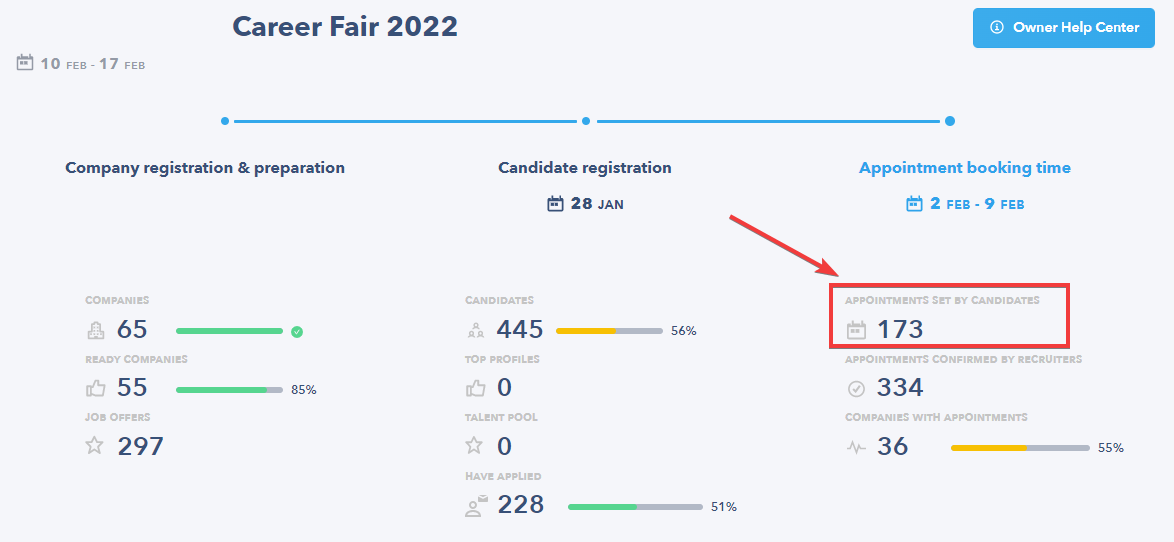
💡 Once the candidate has booked the appointment and it has been confirmed by the recruiter, its category changes to "Appointment confirmed by recruiter". For example, in the image above, 36 companies have confirmed at least 1 appointment.
IDENTIFYING WHICH RECRUITERS NEED TO RECEIVE REMINDERS
To obtain the list of recruiters that still have outstanding appointment requests, you first have to extract their activity data:
- Go to the Statistics tab of your dashboard:

- Click on the Export Data button and then select Export Recruiter Data:
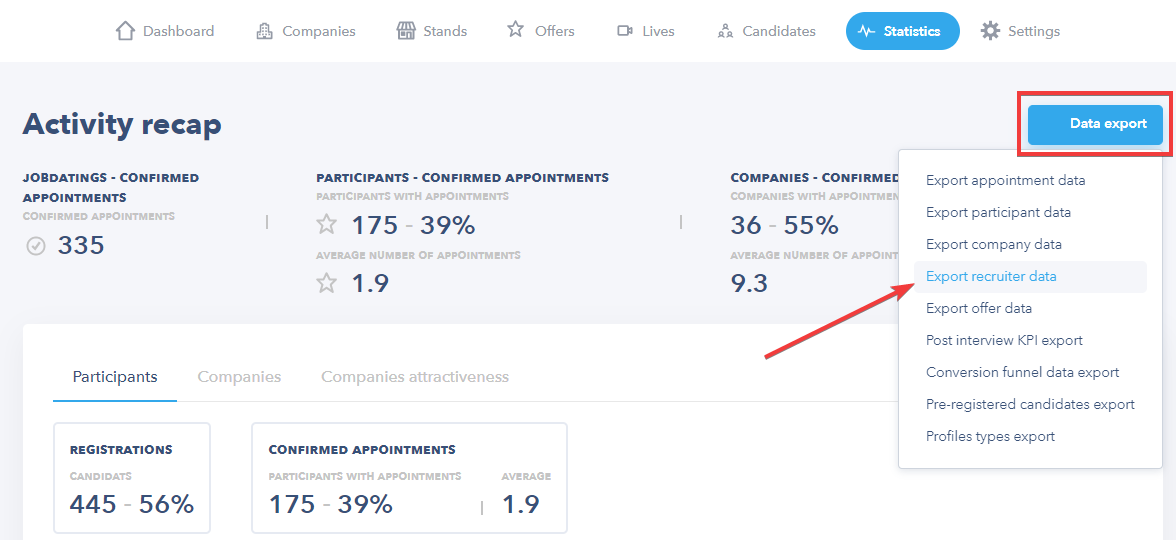
- This button allows you to download a file in Excel format (.xlsx), which you can then use to extract the list of recruiters that need a reminder.
🚨 NOTE 🚨
At events with automatic appointments, all pending appointment requests are confirmed on the appointment booking closing date. At events with regular appointments, all applications must be processed by the recruiter (otherwise they will not receive a response).
OBTAINING THE EMAIL ADDRESSES OF RECRUITERS TO SEND THEM REMINDERS
💡 To extract the right email addresses, you have to know what appointment type your event has. Feel free to contact your Seekube project manager if you don't know.
👉 For an event with automatic appointments:
- Open the downloaded Excel (.xlsx) file.
- Filter the column "Booked Appointments" (O) on numbers greater than 0 to exclude any rows that contain no booked appointments for the recruiter(s) (= to be processed).
- Retrieve the list of email addresses you need to send reminders to from the "Email" column (D).
👉 For an event with regular appointments:
- Open the downloaded Excel (.xlsx) file.
- Filter the column "Pending Applications" (AA) on numbers greater than 0 to exclude any rows that contain no pending applications for the recruiter(s).
- Retrieve the list of email addresses you need to send reminders to from the "Email" column (D).
Once you have selected all the email addresses, you can send a group reminder to all these recruiters to prompt them to process their appointment requests.
Below you will find an example of a reminder email:
Hello X,
The interview phase is fast approaching for the (name of event) Job Fair.
The interviews will be held on (date of event), so you don't have long to process and schedule your appointments!
⚠️ You still have X days to visit the platform and process your X pending applications. I recommend you do it quickly so that your calendar is as accurate as possible in the lead-up to your interviews ⚠️
You can also complete your interview schedule by sourcing candidates on the "Sourcing" tab of your account and offering them interviews directly on the platform.
🎥 Here is a video to help you with the Seekube interview phase.
If you have any questions or need help processing your appointments:
- You can read the articles specially designed to help you with your experience on the Seekube platform.
- If you encounter any technical issues, you can contact the Seekube team directly in the chat on the platform or by emailing sav@seekube.com.
🖇 Feel free to navigate the Help Center created for your recruiters and candidates via this link : help.seekube.com !